
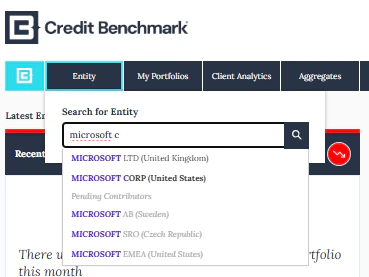
Searching for an Entity
Search by Entity Name, LEI, CBID, or your Internal ID (if provided). The dropdown shows entities with a consensus rating available and those still awaiting sufficient contributions.- Consensus entities appear at the top of the list
- Bolded entities are Ultimate Parents
- Non-publishable entities are shown in light grey
Entity Page Sections
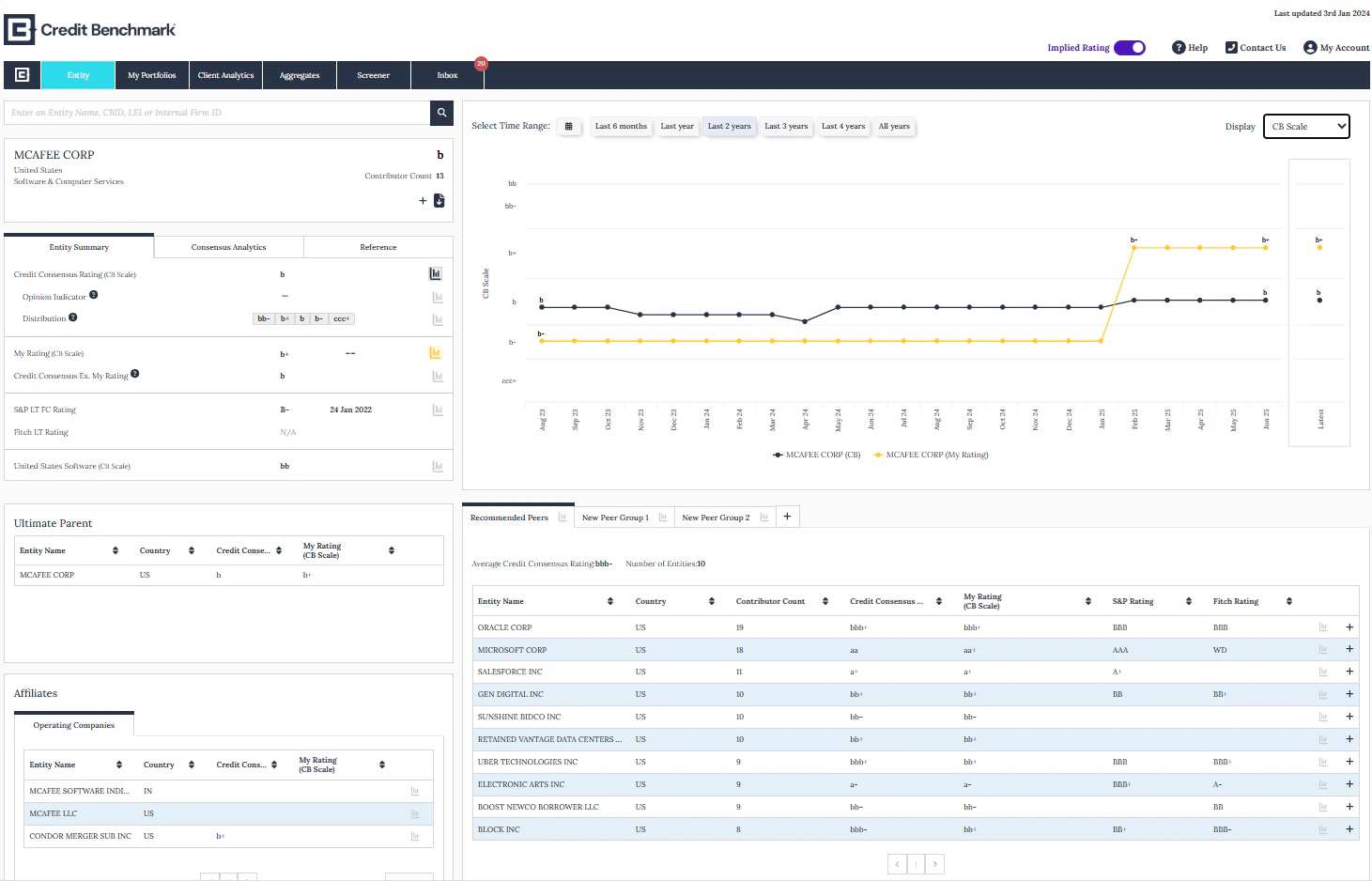
Entity Summary
Entity Summary
Consensus information and analytics for the selected entity, including comparison to Credit Rating Agencies.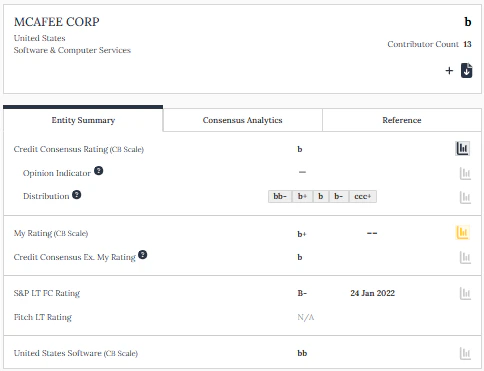
- Download Data — download all data on the page
- Add to Portfolios — add this entity to your portfolios
- Plot Data Points — select the bar graph icons to plot different metrics
- My Rating — your institution’s submitted estimate; shows N/A if no data was submitted
- Credit Rating Agency Ratings — long-term CRA ratings where available
- Available Aggregate — the aggregate for this entity’s country and sector
Chart
Chart
Benchmark trends over time and compare against other ratings.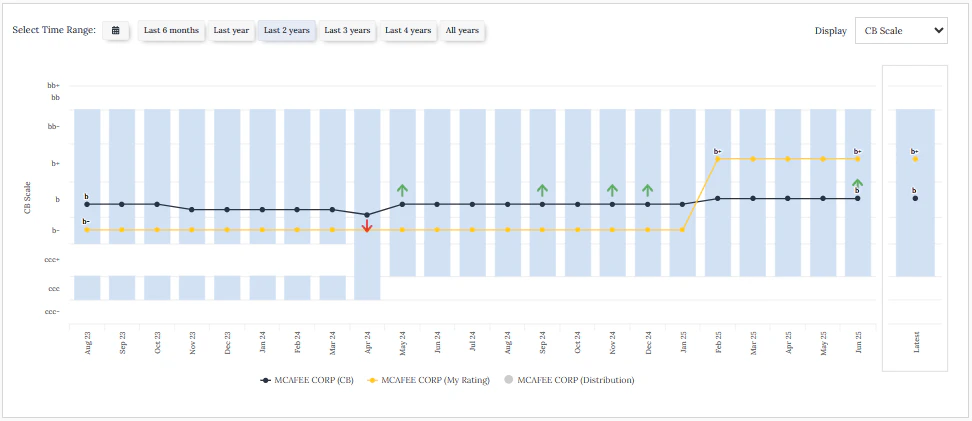
- Consensus Credit Ratings — CCR and analytics plotted over time
- Credit Rating Agencies — CRA ratings benchmarked over time
- Rating Distribution — distribution of contributed views
- Observation Count — number of contributions to this entity
- Time Horizon Selector — set a specific date range
- Metrics Dropdown — switch between different metrics
- Your Estimate — your institution’s view in the chosen scale
- Affiliates, Peers, and Industry — additional comparison overlays
- Set a Chart By default preference via the Help button
Corporate Hierarchy Table
Corporate Hierarchy Table
View other CB-covered subsidiaries of the same ultimate parent.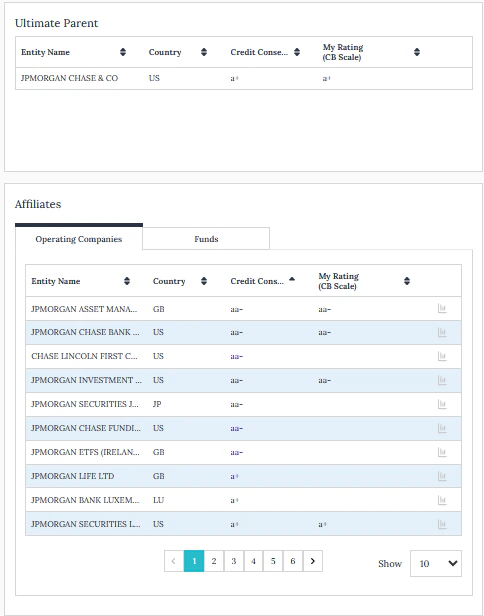
- Entity Hierarchy — ultimate parent and affiliates
- My Rating — your estimate mapped to the chosen scale; blank if not submitted
- Plot Data Points — select bar graph icons to chart entities
- Click any entity to navigate to their Entity page
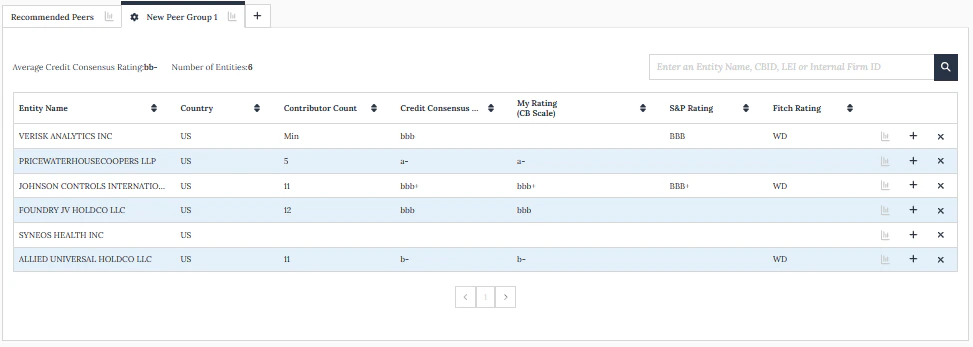
Peer Groups
Peer Groups
A recommended peer list is auto-generated using a sorting algorithm based on the entity’s reference data.A custom peer group can be created by clicking the plus icon — it defaults to the recommended list and any changes are saved to your user profile.