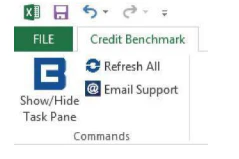

Components
- Visual Component — Excel COM component built with .NET and HTML/JavaScript
- Custom Functions — custom Excel functions via XLL, implemented in .NET
- Data Retrieval — RTD-based data retrieval, implemented in .NET
Requirements
| Requirement | Detail |
|---|---|
| Operating System | Windows 7 SP1 or later |
| Excel | v2007 to v2019, or Office 365 |
| .NET Framework | 4.5.2 or later |
| Network | HTTPS on port 443 to api.creditbenchmark.com |
| Installation | Per-user only; no administrator rights required |
Installation Notes
32-bit vs 64-bit
The installer version is based on your Excel version, not your Windows version. It’s common to have 32-bit Excel on 64-bit Windows.
- 32-bit Excel →
DataSourceExcelAddinInstaller_x86.msi - 64-bit Excel →
DataSourceExcelAddinInstaller_x64.msi
.NET Framework
Most up-to-date Windows machines already have .NET 4.6+. To verify, check the registry key:The
Release value should be 379893 or higher for 4.5.2+. If .NET needs to be installed, administrator rights are required — do this before installing the add-in.Windows Installer Policies
If you see “The system administrator has set policies to prevent this installation”, a Windows Installer policy may be blocking the install.Disable Windows Installer policy — set Or via UI: Local Policy → Administrative Templates → Windows Components → Windows Installer → Disable Windows Installer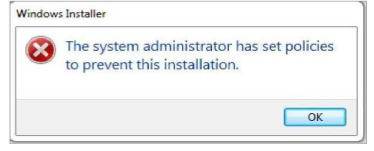
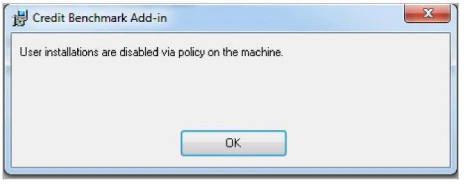
DisableMSI to 0 or remove it at:DisableUserInstalls to 0 or remove it at the same registry path, or via Prohibit User Installs in the same UI path.Firewall
Both
Excel.exe and Redgate.Apphost.Client.exe need outbound access to api.creditbenchmark.com on ports 80 and 443.Proxy Settings
The add-in auto-detects proxy settings on startup. If this fails, manually configure Add-in proxy:Chromium proxy:Save and restart Excel.
addin-settings.json at: