

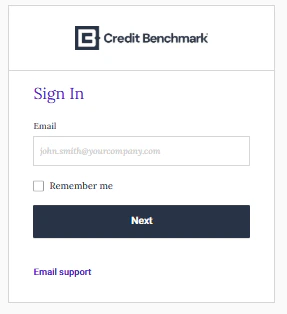
Signing In
If you have trouble signing in, contact support@creditbenchmark.com.
Resetting Your Password
Enter Username
Enter your assigned username. A reset link will be sent to your email. If prompted, answer your security question.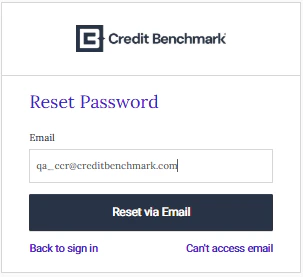
Setting Up Two-Factor Authentication
Activate Account
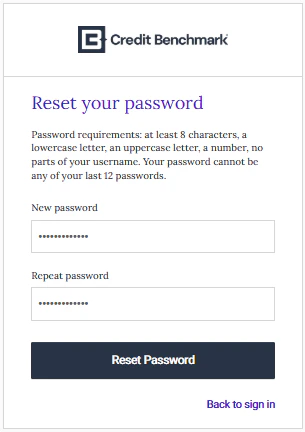
Click Activate Credit Benchmark Account in your activation email. Set your password and choose a security question.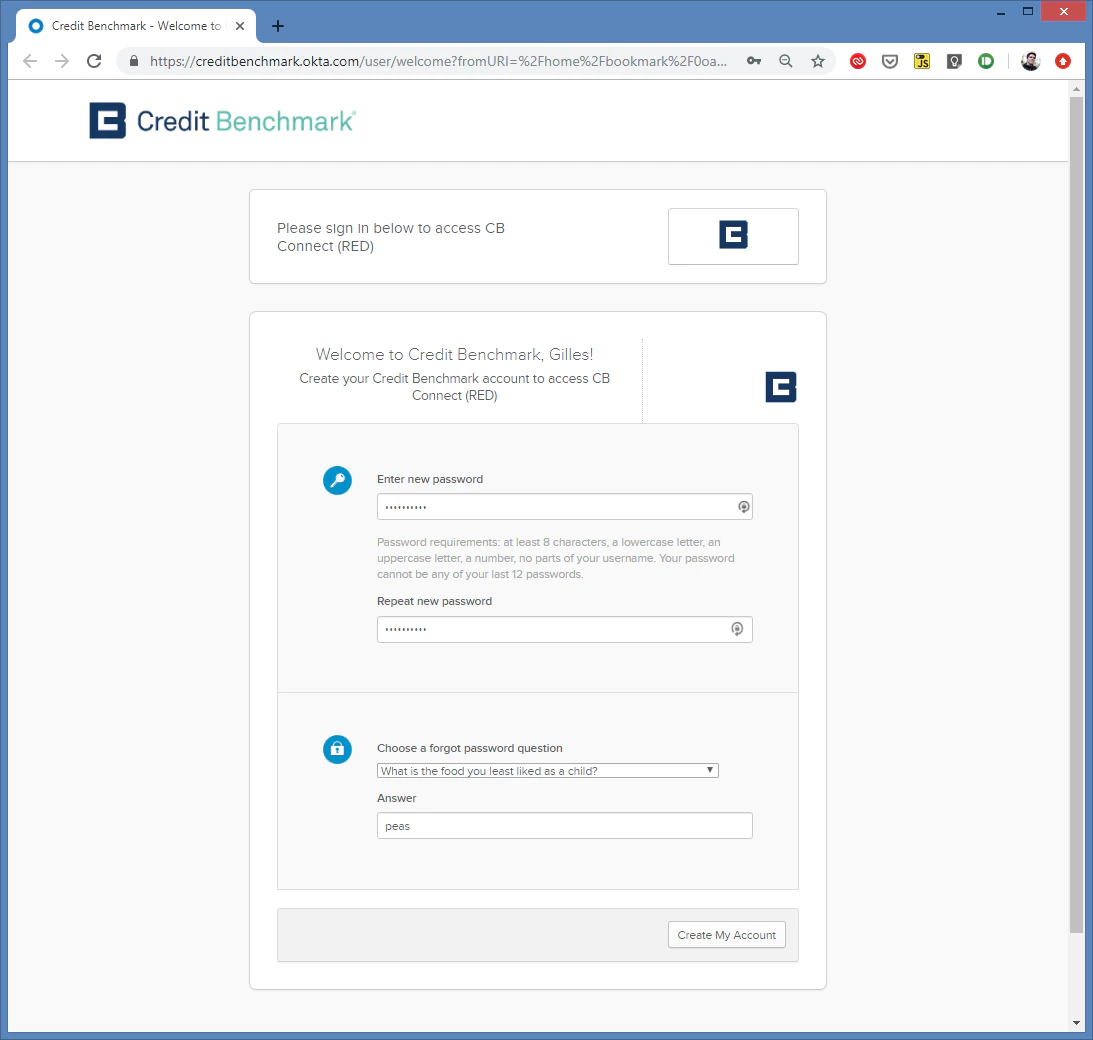
Choose Authentication Method
After clicking Create My Account, select your preferred 2FA method. SMS is recommended.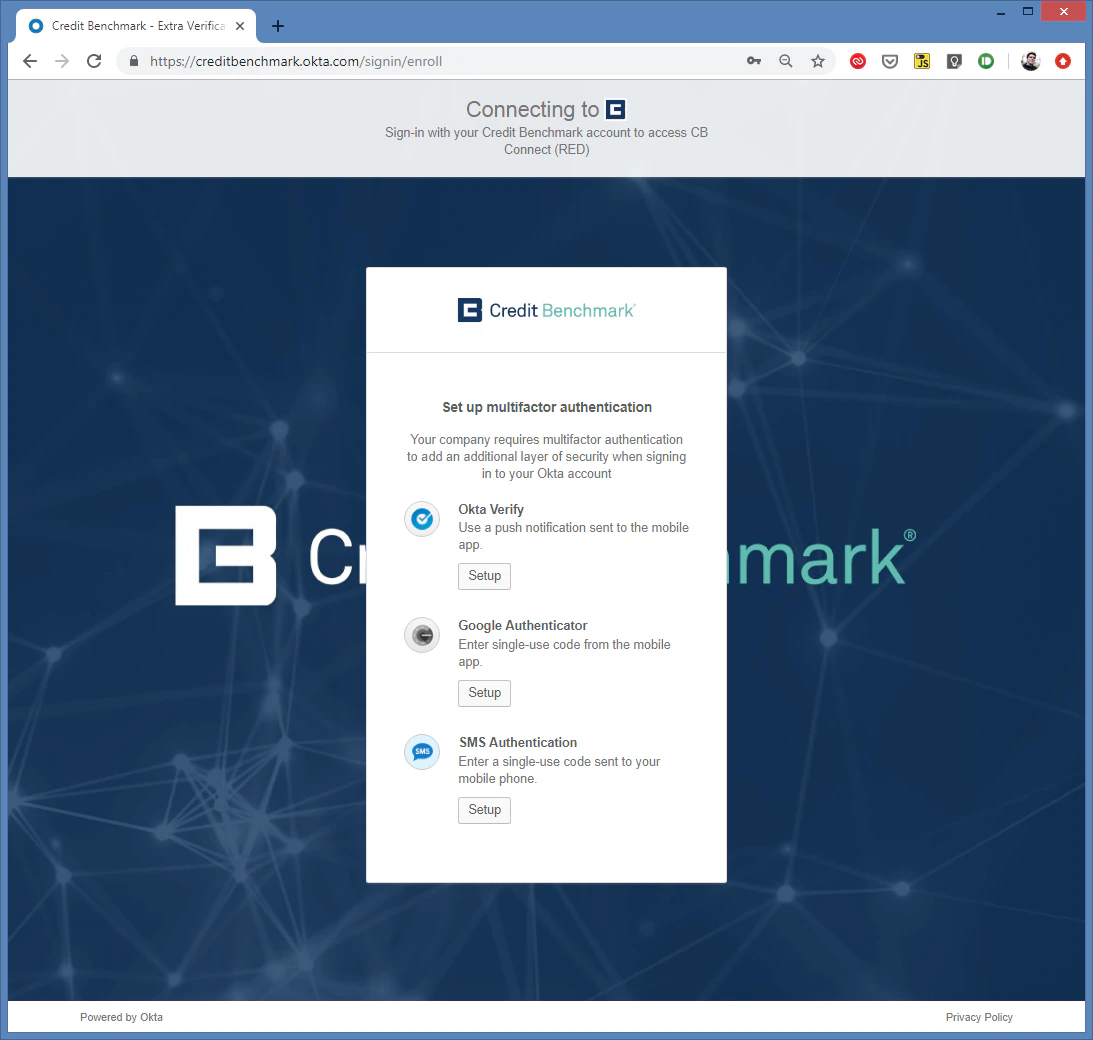
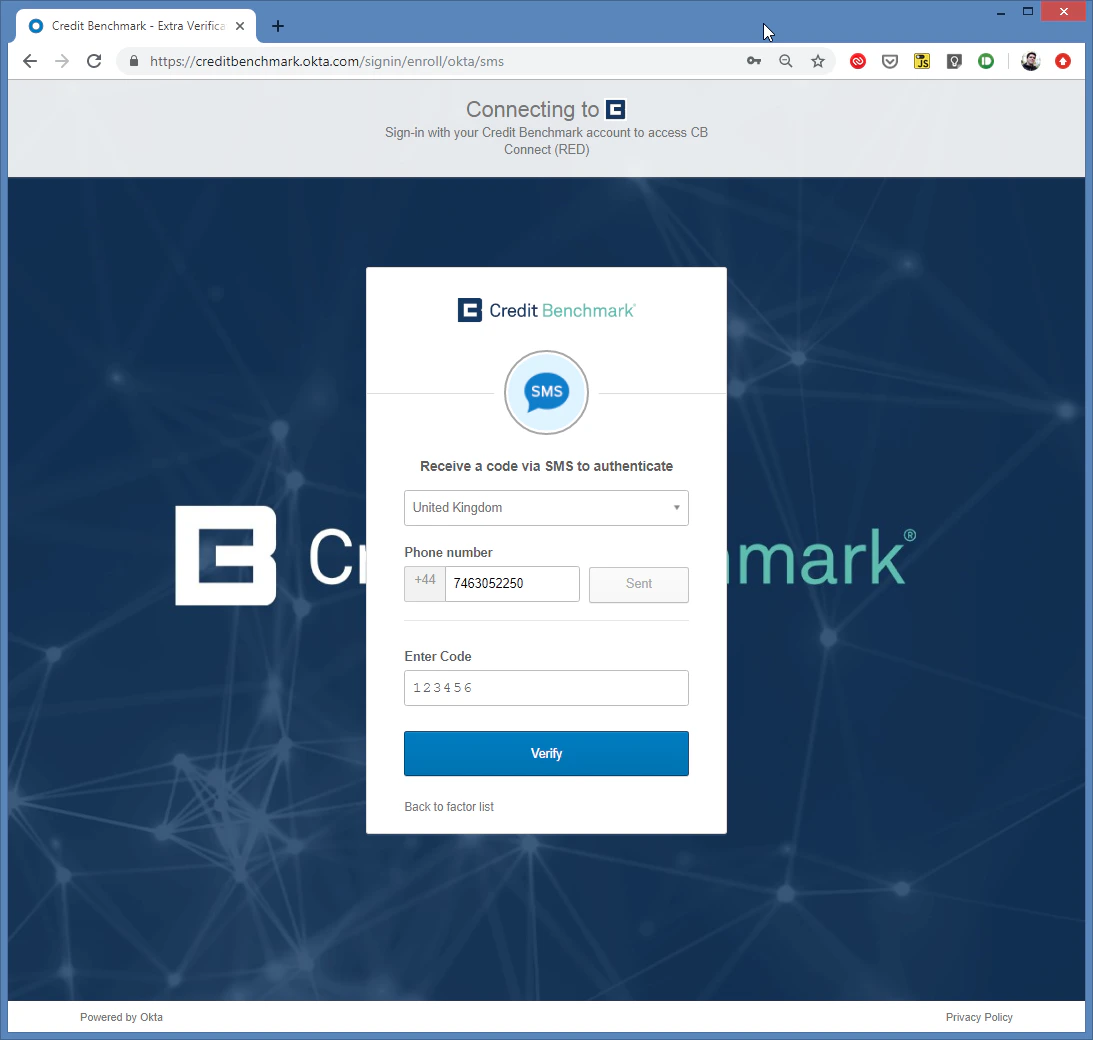
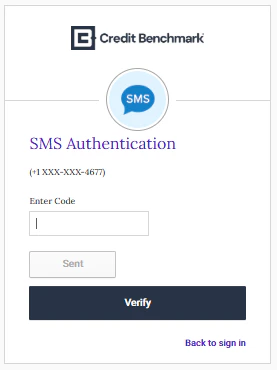
Verify Code
Enter the SMS verification code and click Verify. If no code arrives after 30 seconds, click Send code again. Still nothing? Contact support@creditbenchmark.com.
Complete Setup
You’ll be redirected to the login page. If not, navigate to webapp.creditbenchmark.com.