

Available Data Sets
Consensus ratings are aggregated from anonymized internal risk views of 40+ contributing banks. Field semantics follow the standard Methodology and Data Dictionary.
Prerequisites
- An active Bloomberg Terminal license, or a Bloomberg Enterprise Data License agreement.
- A Credit Benchmark subscription that includes Bloomberg distribution.
Getting Access
1
Contact your Credit Benchmark representative
Let your account manager know whether you need Terminal access, EDL distribution, or both. They will coordinate entitlement with Bloomberg.
2
Confirm Bloomberg entitlement
Bloomberg enables Credit Benchmark fields on the relevant Terminal users or EDL feeds. Existing Terminal users do not need a separate login.
3
Sign in to the Terminal
Sign in to the Bloomberg Terminal as normal. Once entitlement is active, CB fields are available across the functions listed below.
Where to Find CB Data on the Terminal
CB data is surfaced throughout the Bloomberg Terminal rather than in a dedicated function. Common entry points:- CRPR — corporate ratings page, where CB Consensus Ratings appear alongside other rating sources.
- SRCH — security search, filterable on CB fields.
- Worksheets — pull CB fields into custom worksheet columns.
- Launchpad — embed CB fields in monitors and dashboards.
- Excel API — request CB fields directly from Bloomberg’s Excel add-in for spreadsheet workflows.
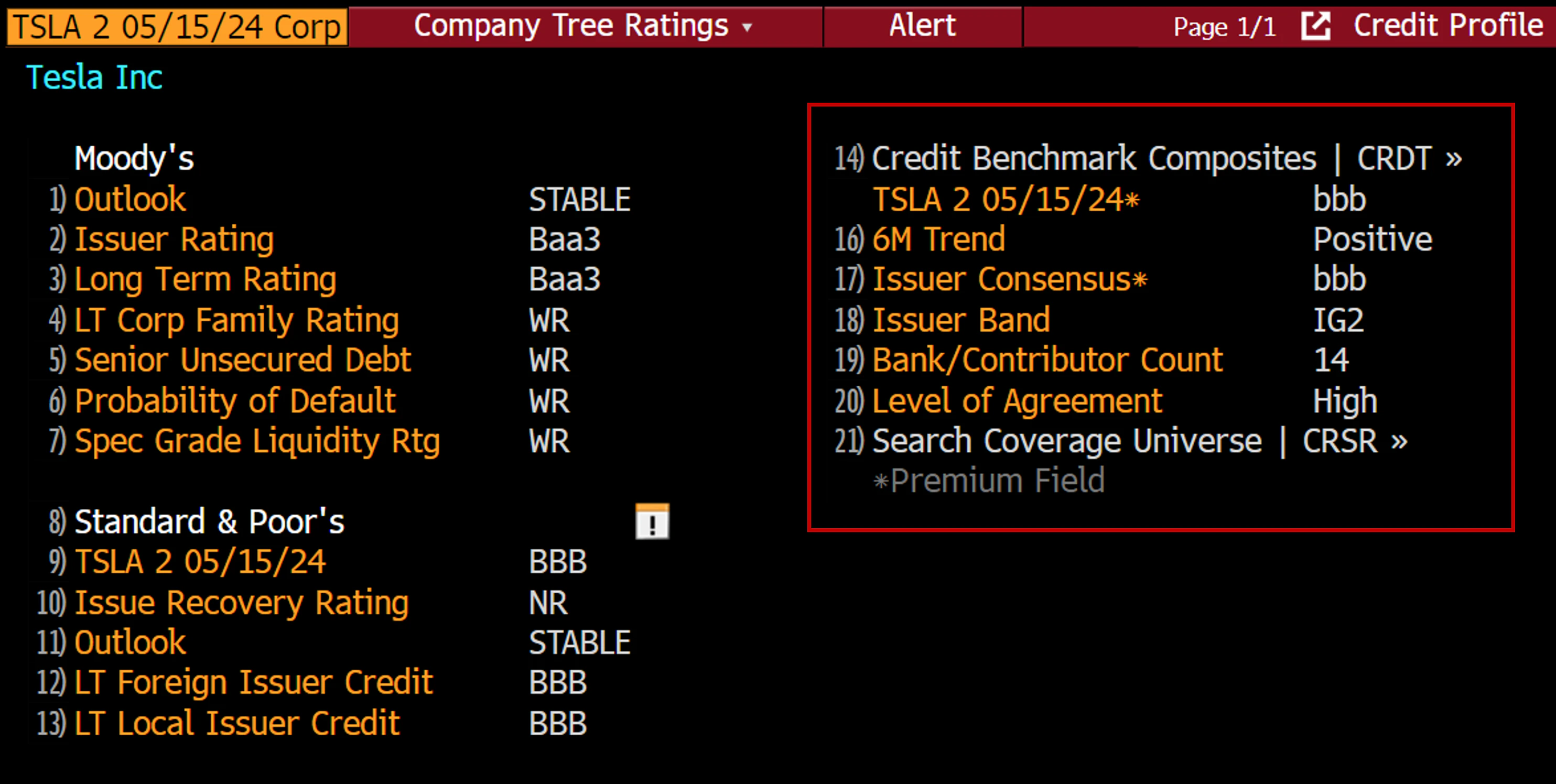
Credit Consensus Ratings on the Bloomberg Terminal CRPR screen.