> ## Documentation Index
> Fetch the complete documentation index at: https://docs.creditbenchmark.com/llms.txt
> Use this file to discover all available pages before exploring further.
# Bloomberg
> Access Credit Benchmark data via the Bloomberg Terminal and Bloomberg Enterprise Data License.
Credit Benchmark data is distributed on Bloomberg through two channels: the **Bloomberg Terminal** for interactive use, and the **Bloomberg Enterprise Data License (EDL)** service for systematic redistribution into client systems.
## Available Data Sets
| Data set | Coverage |
| -------------------------------- | ----------------------------------------------------------------------- |
| Credit Consensus Ratings | \~70,000 mostly unrated companies across developed and emerging markets |
| Bond and Loan Rating Assessments | \~160,000 bonds and loans, \$28+ trillion outstanding |
Consensus ratings are aggregated from anonymized internal risk views of 40+ contributing banks. Field semantics follow the standard [Methodology](/methodology/intro) and [Data Dictionary](/data/data-dictionary).
## Prerequisites
* An active Bloomberg Terminal license, or a Bloomberg Enterprise Data License agreement.
* A Credit Benchmark subscription that includes Bloomberg distribution.
## Getting Access
Let your account manager know whether you need Terminal access, EDL distribution, or both. They will coordinate entitlement with Bloomberg.
Bloomberg enables Credit Benchmark fields on the relevant Terminal users or EDL feeds. Existing Terminal users do not need a separate login.
Sign in to the Bloomberg Terminal as normal. Once entitlement is active, CB fields are available across the functions listed below.
## Where to Find CB Data on the Terminal
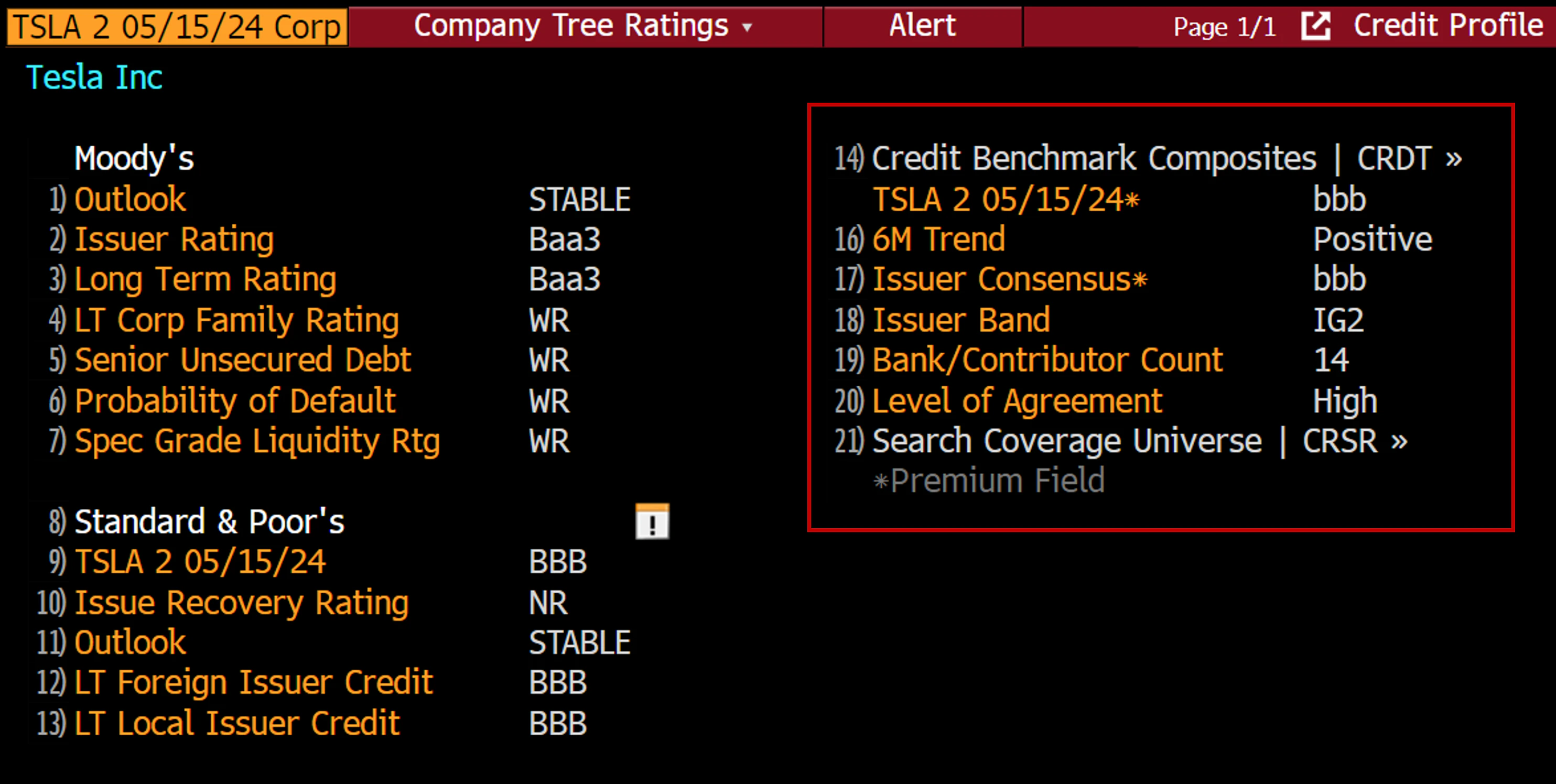
CB data is surfaced throughout the Bloomberg Terminal rather than in a dedicated function. Common entry points:
* **CRPR** — corporate ratings page, where CB Consensus Ratings appear alongside other rating sources.
* **SRCH** — security search, filterable on CB fields.
* **Worksheets** — pull CB fields into custom worksheet columns.
* **Launchpad** — embed CB fields in monitors and dashboards.
* **Excel API** — request CB fields directly from Bloomberg's Excel add-in for spreadsheet workflows.
 ## Enterprise Data License
For systematic delivery into client systems (data warehouses, risk engines, downstream applications), CB data is available through Bloomberg's EDL service rather than the Terminal. Contact your Credit Benchmark representative to scope an EDL feed.
## Need Help?
For Terminal entitlement issues, contact your Bloomberg representative. For questions about the underlying Credit Benchmark data, contact your Credit Benchmark representative or email [support@creditbenchmark.com](mailto:support@creditbenchmark.com).
## Enterprise Data License
For systematic delivery into client systems (data warehouses, risk engines, downstream applications), CB data is available through Bloomberg's EDL service rather than the Terminal. Contact your Credit Benchmark representative to scope an EDL feed.
## Need Help?
For Terminal entitlement issues, contact your Bloomberg representative. For questions about the underlying Credit Benchmark data, contact your Credit Benchmark representative or email [support@creditbenchmark.com](mailto:support@creditbenchmark.com).