> ## Documentation Index
> Fetch the complete documentation index at: https://docs.creditbenchmark.com/llms.txt
> Use this file to discover all available pages before exploring further.
# Pålogging til CB-Web App
> Veiledning for pålogging og tilbakestilling av passord for Credit Benchmark-Web App.
Få tilgang til CB-Web App på [webapp.creditbenchmark.com](https://webapp.creditbenchmark.com/) i en hvilken som helst oppdatert nettleser.
## Pålogging
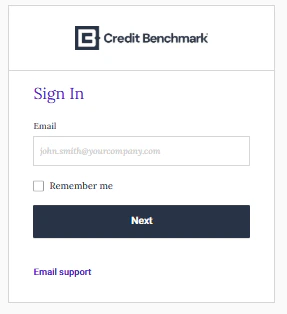
Skriv inn brukernavn og passord på innloggingssiden.
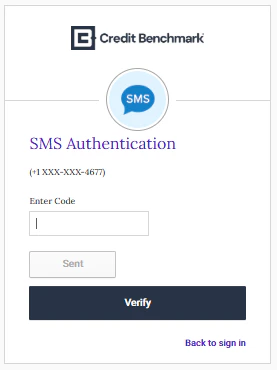
 Hvis 2FA er aktivert, skriv inn bekreftelseskoden fra smarttelefonen eller e-posten din. Hvis du ikke mottar koden etter 30 sekunder, klikk på **Send kode på nytt**.
 Hvis du har problemer med å logge inn, kontakt [support@creditbenchmark.com](mailto:support@creditbenchmark.com).
## Tilbakestille passordet ditt
Klikk på **Glemt passord?** på påloggingssiden.
Skriv inn det tildelte brukernavnet ditt. En tilbakestillingslenke vil bli sendt til e-postadressen din. Svar på sikkerhetsspørsmålet ditt hvis du blir bedt om det.
Hvis du har problemer med å logge inn, kontakt [support@creditbenchmark.com](mailto:support@creditbenchmark.com).
## Tilbakestille passordet ditt
Klikk på **Glemt passord?** på påloggingssiden.
Skriv inn det tildelte brukernavnet ditt. En tilbakestillingslenke vil bli sendt til e-postadressen din. Svar på sikkerhetsspørsmålet ditt hvis du blir bedt om det.
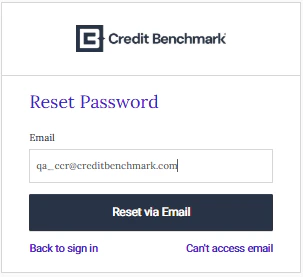 Følg lenken for å angi et nytt passord. Hvis du har aktivert 2FA, må du også oppgi 2FA-koden din.
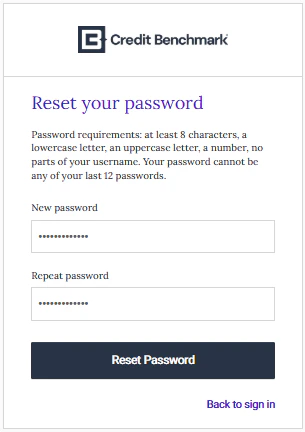 Når du er ferdig, blir du omdirigert til påloggingssiden. Hvis ikke, gå tilbake til [webapp.creditbenchmark.com](https://webapp.creditbenchmark.com/).
## Konfigurere tofaktorautentisering
Klikk på **Aktiver Credit Benchmark-konto** i aktiverings-e-posten din. Angi passordet ditt og velg et sikkerhetsspørsmål.
Når du er ferdig, blir du omdirigert til påloggingssiden. Hvis ikke, gå tilbake til [webapp.creditbenchmark.com](https://webapp.creditbenchmark.com/).
## Konfigurere tofaktorautentisering
Klikk på **Aktiver Credit Benchmark-konto** i aktiverings-e-posten din. Angi passordet ditt og velg et sikkerhetsspørsmål.
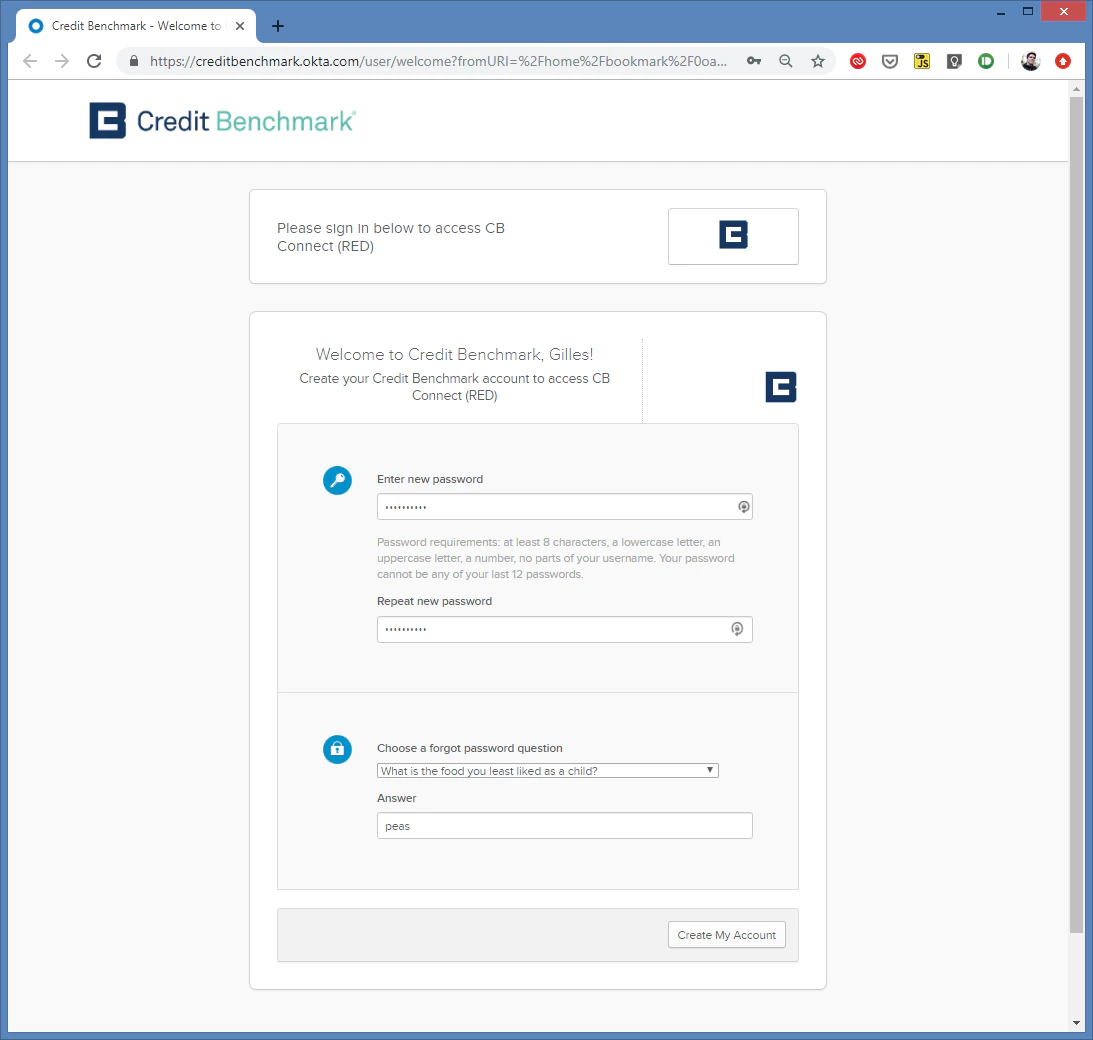 Etter å ha klikket på **Opprett min konto**, velg din foretrukne 2FA-metode. SMS anbefales.
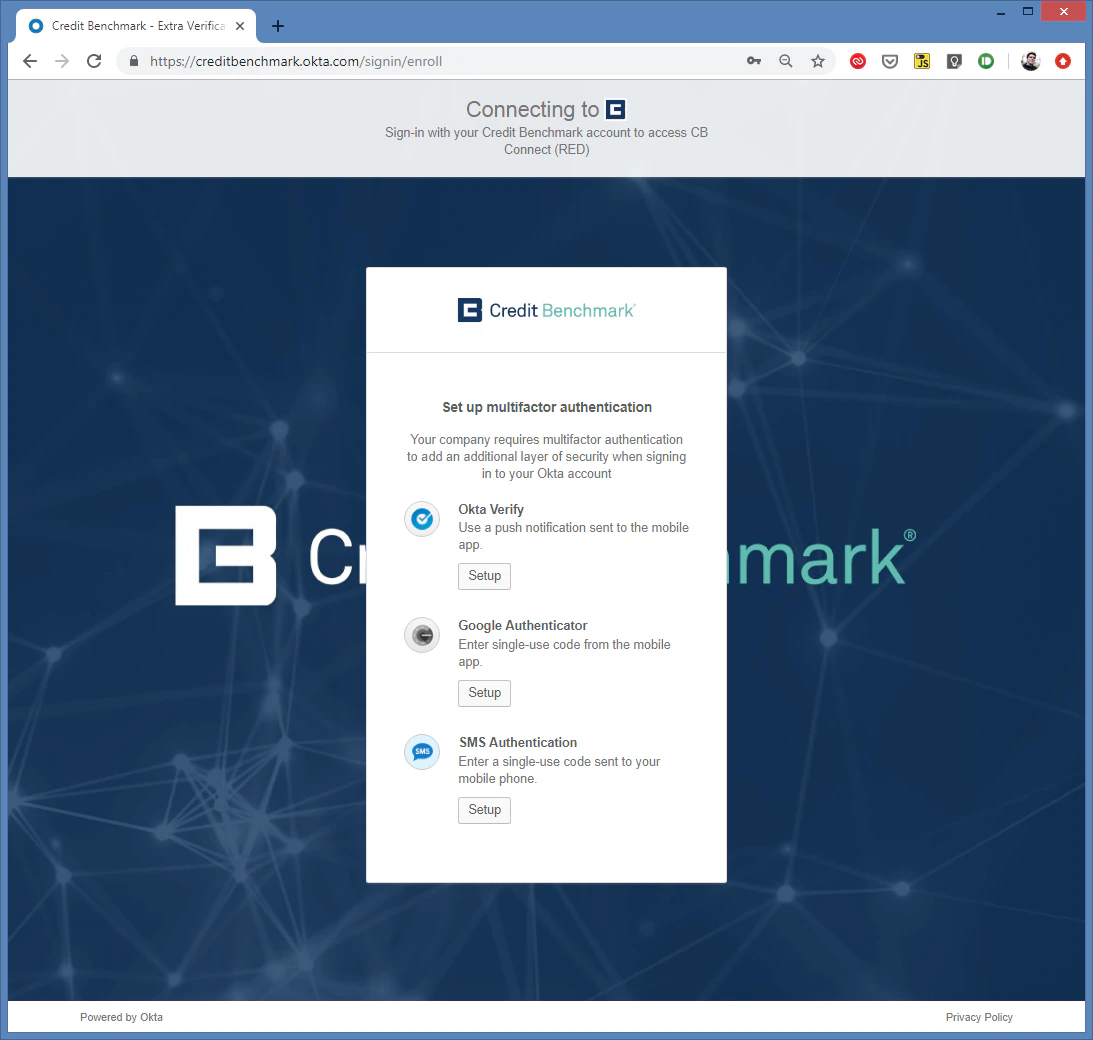 Velg land, skriv inn telefonnummeret ditt og klikk på **Send**.
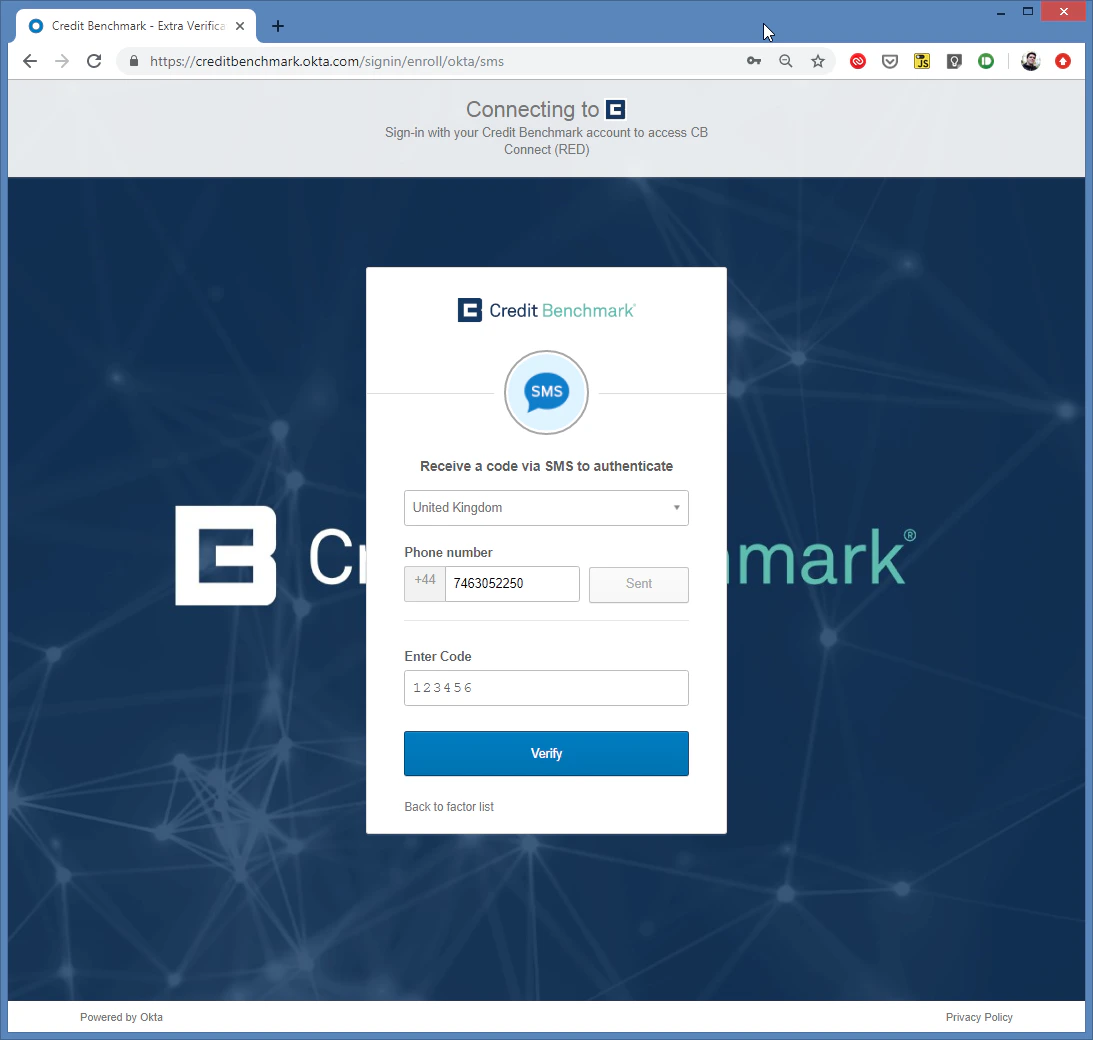 Skriv inn SMS-bekreftelseskoden og klikk på **Bekreft**. Hvis du ikke har mottatt koden etter 30 sekunder, klikker du på **Send kode** igjen. Fortsatt ingenting? Kontakt [support@creditbenchmark.com](mailto:support@creditbenchmark.com).
Du blir omdirigert til påloggingssiden. Hvis ikke, gå til [webapp.creditbenchmark.com](https://webapp.creditbenchmark.com/).
Skriv inn SMS-bekreftelseskoden og klikk på **Bekreft**. Hvis du ikke har mottatt koden etter 30 sekunder, klikker du på **Send kode** igjen. Fortsatt ingenting? Kontakt [support@creditbenchmark.com](mailto:support@creditbenchmark.com).
Du blir omdirigert til påloggingssiden. Hvis ikke, gå til [webapp.creditbenchmark.com](https://webapp.creditbenchmark.com/).