> ## Documentation Index
> Fetch the complete documentation index at: https://docs.creditbenchmark.com/llms.txt
> Use this file to discover all available pages before exploring further.
# Screener
> Universe screening, saved filters, and portfolio creation from search results.
The Screener lets you filter the full CB entity universe using multiple criteria, save and retrieve custom screens, and export results to Excel.
## Page Sections
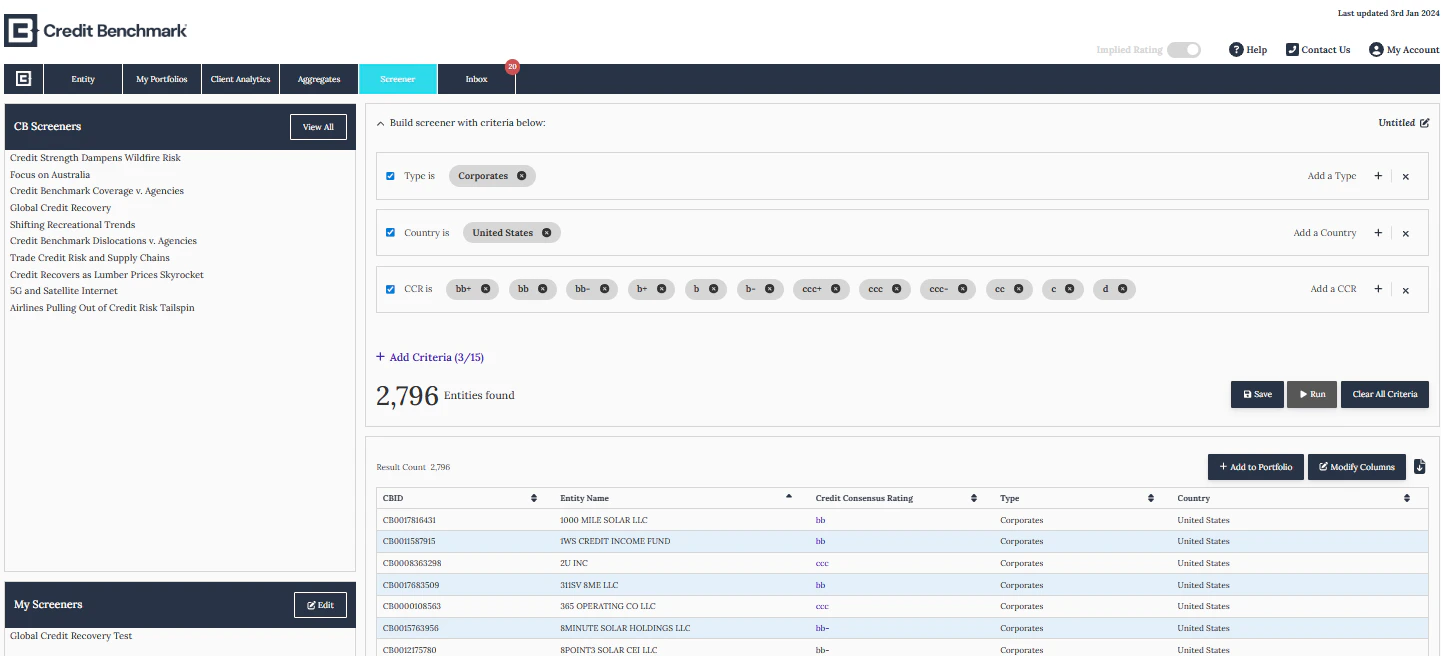 * **CB & User Created Screens** — access pre-built CB screens or your saved custom screens
* **Criteria Builder** — define filters across multiple dimensions to refine results
* **Results Table** — view and export the filtered entity list with ratings
## Adding Results to Portfolios
Click **Add to Portfolio** on the Screener page to add filtered results directly to an existing or new portfolio.
* **CB & User Created Screens** — access pre-built CB screens or your saved custom screens
* **Criteria Builder** — define filters across multiple dimensions to refine results
* **Results Table** — view and export the filtered entity list with ratings
## Adding Results to Portfolios
Click **Add to Portfolio** on the Screener page to add filtered results directly to an existing or new portfolio.