> ## Documentation Index
> Fetch the complete documentation index at: https://docs.creditbenchmark.com/llms.txt
> Use this file to discover all available pages before exploring further.
# My Portfolios
> Portfolio creation, management, and monitoring in the Credit Benchmark Web App.
The My Portfolios tab lets you group entities for continuous monitoring, share portfolios with colleagues, and download the underlying data.
Portfolios also act as a filter in [Client Analytics](/delivery-channels/webapp-pages/client-analytics), letting you compare your ratings to the consensus for a specific entity set.
## Why Use Portfolios?
* **Alerts** — automated notifications for rating changes, upgrades, or downgrades
* **Download Data** — export portfolio data including historical snapshots
* **Quick Reference** — maintain a named list of entities for fast searching
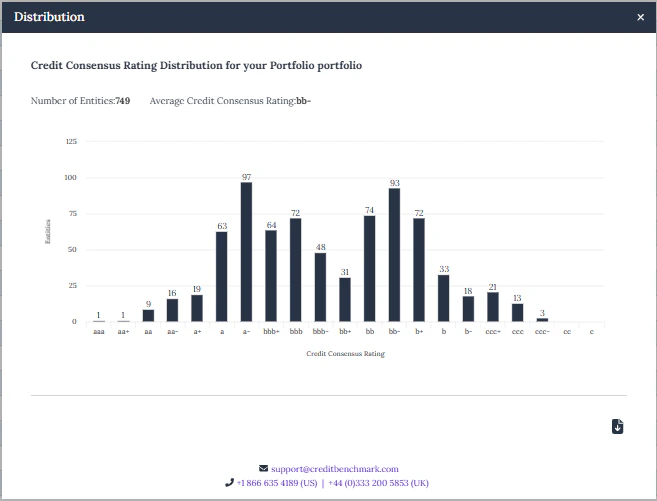
* **Rating Distribution** — visual breakdown of your portfolio's rating composition
* **PortfolioLens** — customisable analytical reports comparing your ratings against consensus
## Portfolio Setup
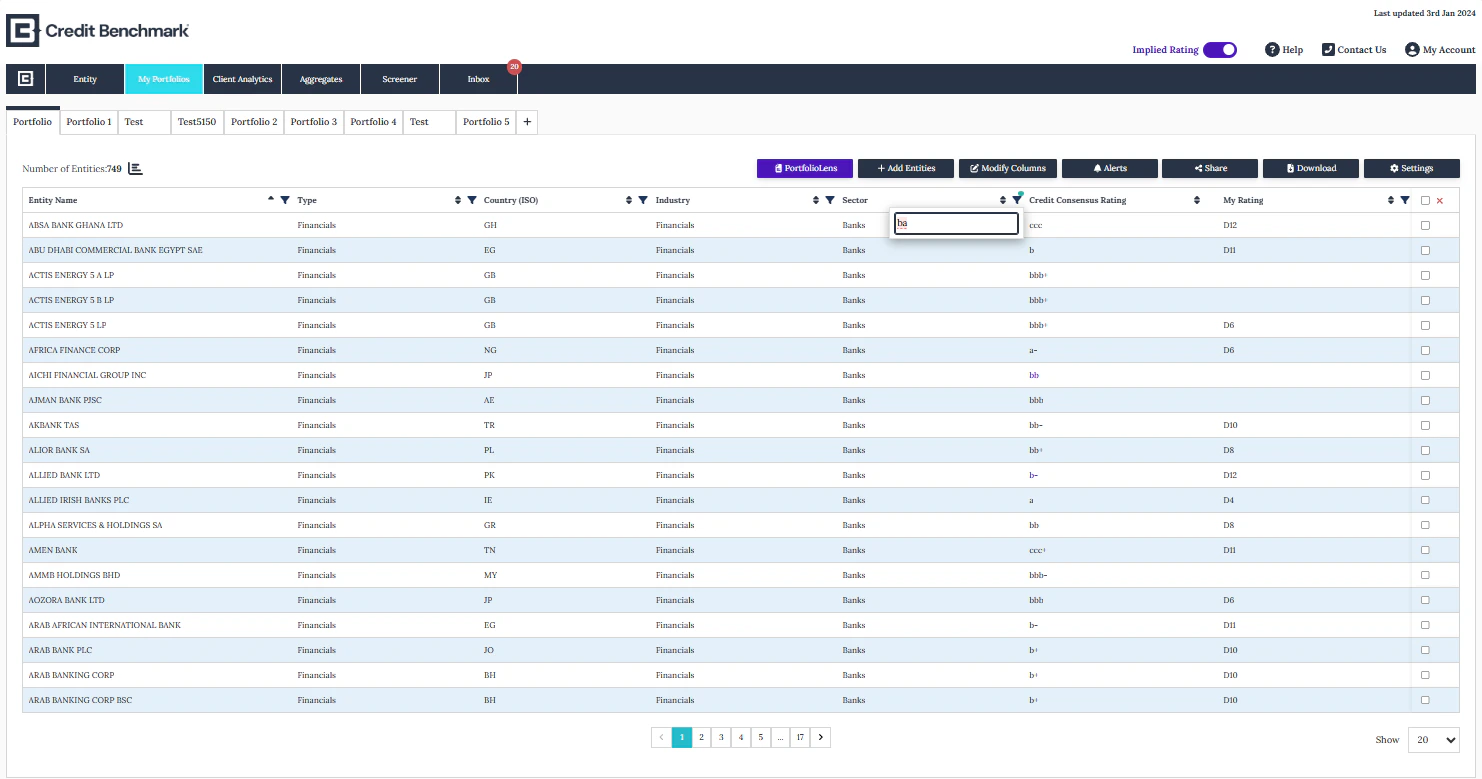
* Switch between portfolios using the **tabs** at the top
* Create a new portfolio with the **+** button
* Use the action buttons to add entities, modify columns, share, and set alerts
* Remove entities by selecting them and clicking the cross icon
* Drag column headers to rearrange the table layout
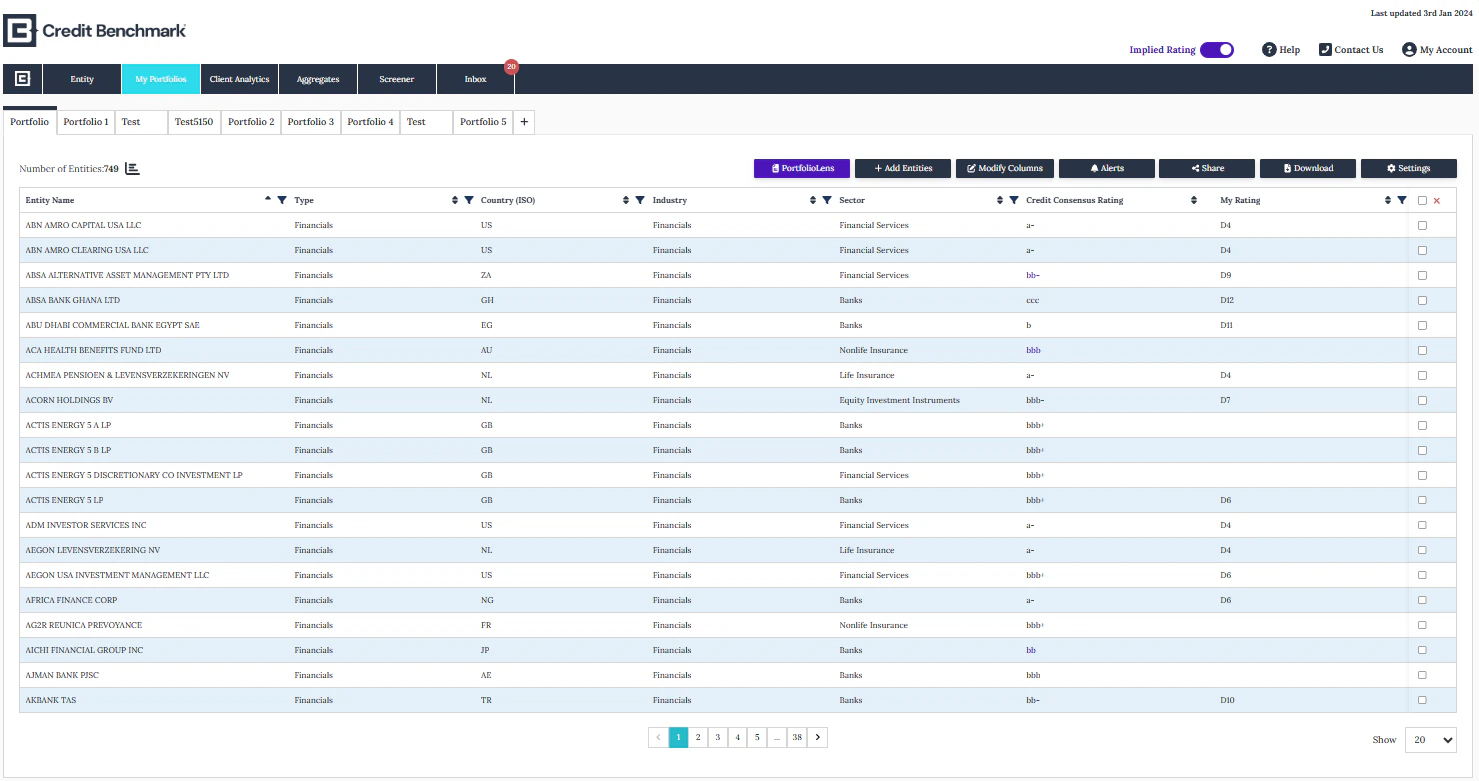
 * Click **+** to create a new portfolio
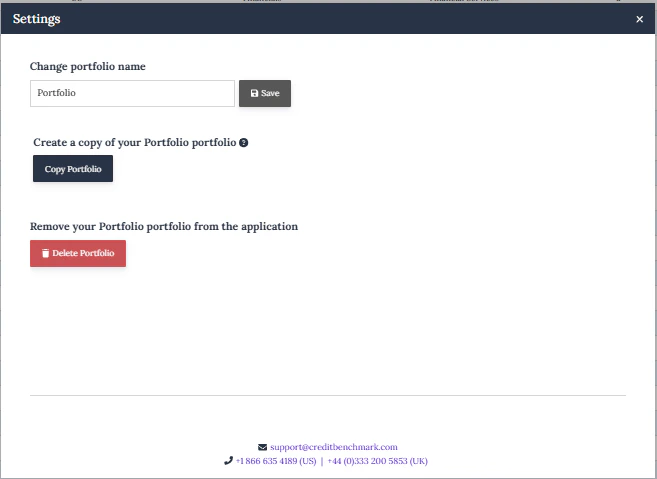
* Click **Settings** to rename, copy, or delete a portfolio
* **Copy** creates a new portfolio with the same entity list and alert settings — changes to the original won't affect the copy
* Click **+** to create a new portfolio
* Click **Settings** to rename, copy, or delete a portfolio
* **Copy** creates a new portfolio with the same entity list and alert settings — changes to the original won't affect the copy
 Click **Add Entities** to upload by:
* **Internal Firm ID**
* **CBID**
* **Entity Name**
* **LEI**
Click **Add Entities** to upload by:
* **Internal Firm ID**
* **CBID**
* **Entity Name**
* **LEI**
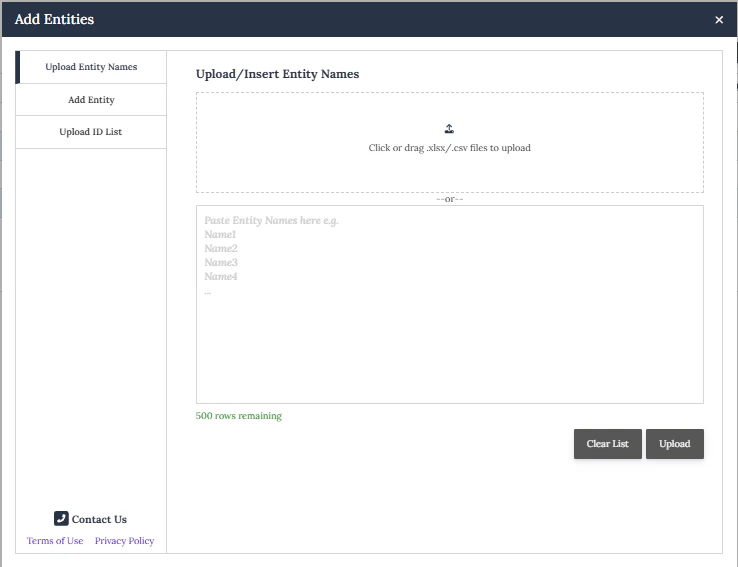 Name matching uses a **proprietary ML model** to match your uploaded list against CB reference data.
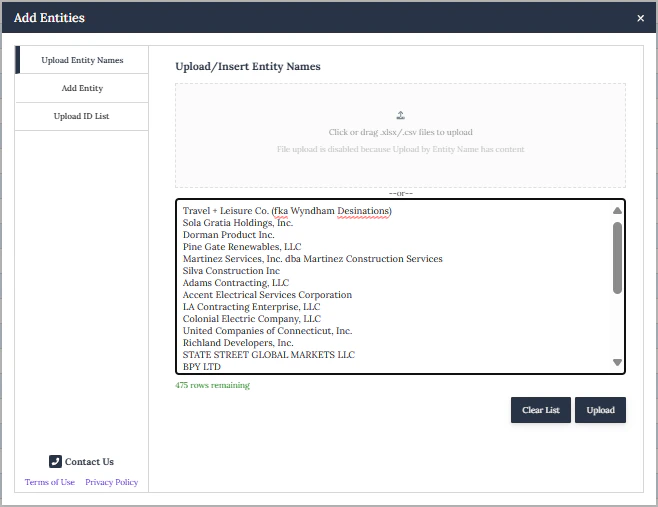
Paste entity names into the free text field or upload a CSV/XLSX file (entity names only). Click **Upload**.
Name matching uses a **proprietary ML model** to match your uploaded list against CB reference data.
Paste entity names into the free text field or upload a CSV/XLSX file (entity names only). Click **Upload**.
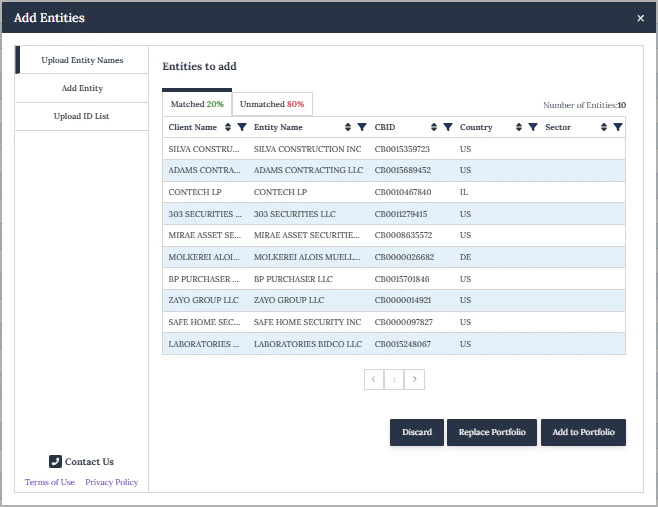
 Review matched and unmatched entities. CB will flag any duplicates.
* **Matched** — click **Add to Portfolio** or **Replace Portfolio**
* **Unmatched** — click **Send to Support** for additional manual review
Review matched and unmatched entities. CB will flag any duplicates.
* **Matched** — click **Add to Portfolio** or **Replace Portfolio**
* **Unmatched** — click **Send to Support** for additional manual review
 ## Portfolio Features
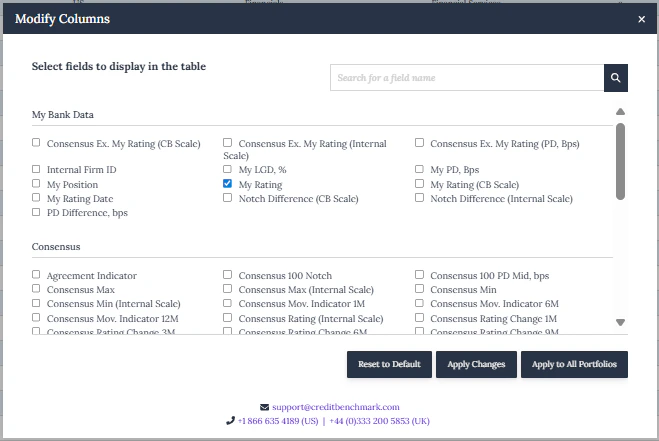
Click **Modify Columns** to add, remove, or reorder columns. Your configuration is saved to your user profile. Column selection also determines what's included in data exports.
## Portfolio Features
Click **Modify Columns** to add, remove, or reorder columns. Your configuration is saved to your user profile. Column selection also determines what's included in data exports.
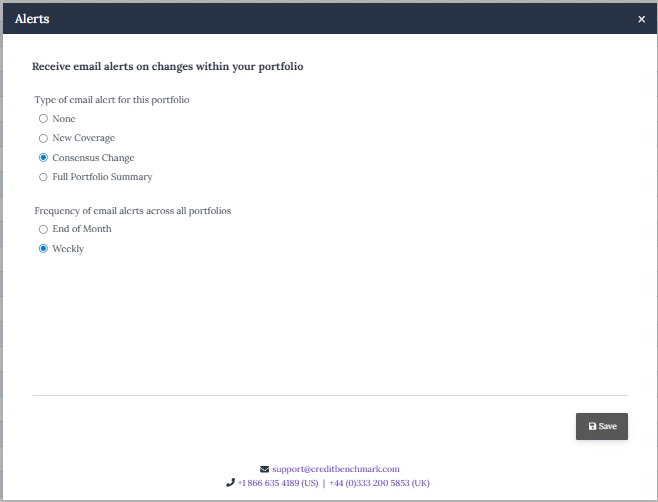
 Click **Alerts** to configure email notifications for rating changes, upgrades, or downgrades. Choose weekly or monthly frequency.
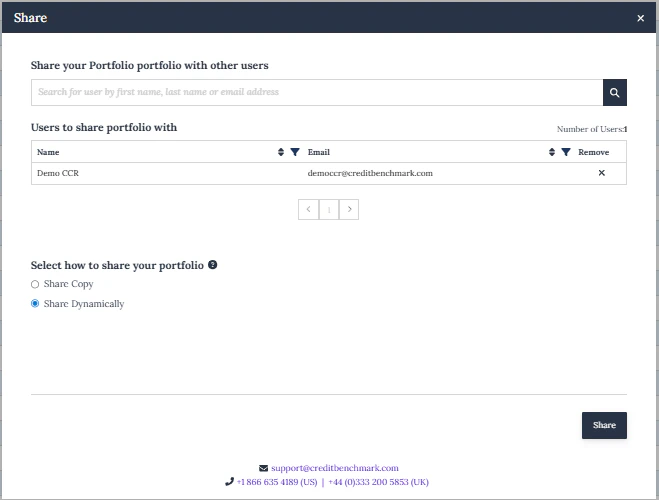
 Click **Share** to share with colleagues as a **static copy** (snapshot) or **dynamic** (live, updates automatically for all users).
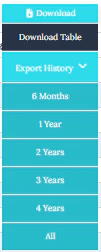
 Click **Download** to export the current portfolio or historical data as Excel or CSV.
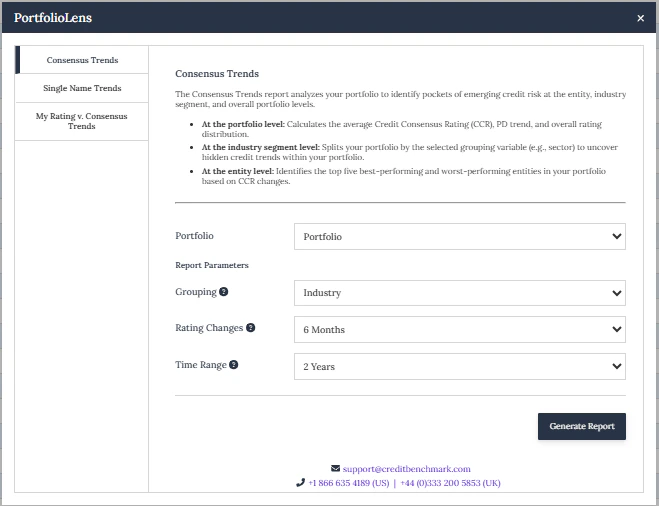
 Click **PortfolioLens** to generate customisable reports:
* **My Rating vs Consensus Trends** — compare your ratings against consensus over time (bank contributors)
* **Consensus Trends** — consensus rating trends for your portfolio
* **Single Name Trends** — individual entity rating analysis
Reports publish to the [Inbox](/delivery-channels/webapp-pages/inbox) tab for download.
Click **PortfolioLens** to generate customisable reports:
* **My Rating vs Consensus Trends** — compare your ratings against consensus over time (bank contributors)
* **Consensus Trends** — consensus rating trends for your portfolio
* **Single Name Trends** — individual entity rating analysis
Reports publish to the [Inbox](/delivery-channels/webapp-pages/inbox) tab for download.
 For the underlying calculations, see [Methodology](/methodology/intro). For programmatic access, see the [API reference](/api-reference/intro).
Click the **Distribution** icon to view how entities in your portfolio are spread across rating bands. Export as JPEG or Excel.
For the underlying calculations, see [Methodology](/methodology/intro). For programmatic access, see the [API reference](/api-reference/intro).
Click the **Distribution** icon to view how entities in your portfolio are spread across rating bands. Export as JPEG or Excel.